PIXNET Logo登入

蒼芎技術筆記本

跳到主文

有關電腦相關設定與使用網站

部落格全站分類:職場甘苦

  • 相簿
  • 部落格
  • 留言
  • 名片
  • 11月 11 週四 201008:55
  • [Email]PostFix 防堵垃圾信 Postgrey(一)

1.sudo apt-get install postgrey
2.安裝完成後,查看Log檔,的postgrey是使用哪個port號,以下紅色的字體,使用10023
Nov 11 07:42:06 ubuntu postgrey[994]: Process Backgrounded
Nov 11 07:42:06 ubuntu postgrey[994]: 2010/11/11-07:42:06 postgrey (type Net::Server::Multiplex) starting! pid(994)
Nov 11 07:42:06 ubuntu postgrey[994]: Binding to TCP port 10023 on host localhost#012
Nov 11 07:42:06 ubuntu postgrey[994]: Setting gid to "116 116"
Nov 11 07:42:06 ubuntu postgrey[994]: Setting uid to "107"
(繼續閱讀...)
文章標籤

蒼穹 發表在 痞客邦 留言(0) 人氣(1,600)

  • 個人分類:Server Edition
▲top
  • 11月 08 週一 201011:06
  • [Network]Ubuntu10.10 pppoeconf

簡單而語,您只需要以系統管理員身份 (使用者 root) 身份執行程式 pppoeconf,照著畫面的問題去回得就可以了
 
sudo pppoeconf
(繼續閱讀...)
文章標籤

蒼穹 發表在 痞客邦 留言(0) 人氣(776)

  • 個人分類:Server Edition
▲top
  • 10月 29 週五 201016:18
  • [資訊]Ubuntu 硬體要求

提供下列網址,供各位找尋所需要的硬體設備與PC
1.清單列出目前有經過Ubuntu認證過的品牌PC與NB還有Server(資料更新度比較快),我喜歡用這個網頁來購買主機,雖然價格貴了點,但安裝起來比較不會麻煩。
http://webapps.ubuntu.com/certification/
2.列出目前有資源的PC零主件,如主機板、音效卡...等等(這裡的資料通常都比較慢更新)
(繼續閱讀...)
文章標籤

蒼穹 發表在 痞客邦 留言(0) 人氣(167)

  • 個人分類:Server Edition
▲top
  • 7月 26 週一 201010:13
  • [系統]Windows 更改遠端桌面port號

預設的Windows遠端桌面port號為3389b,若要變更port請照下面方法變更

啟動「登錄編輯程式」。
找出並按一下下列登錄子機碼:
HKEY_LOCAL_MACHINE\System\CurrentControlSet\Control\TerminalServer\WinStations\RDP-Tcp\PortNumber
(繼續閱讀...)
文章標籤

蒼穹 發表在 痞客邦 留言(1) 人氣(263)

  • 個人分類:WinXP
▲top
  • 6月 28 週一 201015:37
  • [防火牆]Ubuntu 啟用防火牆(Firestarter)

Ubuntu002.JPG
1.安裝防火牆(Firestarter)有圖形介面的防火牆,設定簡單與快速
$sudo apt-get update
$sudo apt-get install Firestarter
2.開啟圖形介面防火牆設定
[系統]->[管理]->[Firestarter]->精靈設定模式:直接點NEXT
 
(繼續閱讀...)
文章標籤

蒼穹 發表在 痞客邦 留言(0) 人氣(1,880)

  • 個人分類:Desktop Edition
▲top
  • 6月 28 週一 201014:45
  • Ubuntu啟用遠端桌面

Ubuntu001.JPG
1.[系統]->[偏好設定]->[遠端桌面]


2.勾選[允許其他使用者觀看你的桌面]
   勾選[允許其他使用者控制你的桌面]
   取消勾選[你必須確認每次對這台電腦機器的連線]
   勾選[使用者需要輸入密碼[XXXXXXXX]] ----> 輸入要連線的密碼ㄛ
(繼續閱讀...)
文章標籤

蒼穹 發表在 痞客邦 留言(0) 人氣(9,452)

  • 個人分類:Desktop Edition
▲top
  • 6月 21 週一 201013:37
  • Ubuntu Server 安裝 Gnome

安裝 X 窗口系統
sudo apt-get -y install x-window-system-core
安裝登錄管理器
sudo apt-get -y install gdm
安裝桌面環境
sudo apt-get -y --force-yes install ubuntu-desktop
(繼續閱讀...)
文章標籤

蒼穹 發表在 痞客邦 留言(0) 人氣(859)

  • 個人分類:Server Edition
▲top
  • 6月 08 週二 201015:16
  • Can't locate Crypt/Eksblowfish/Bcrypt.pm in @INC

安裝openwebmail的錯誤訊息
Can't locate Crypt/Eksblowfish/Bcrypt.pm in @INC (@INC contains: /etc/perl /usr/local/lib/perl/5.8.4 /usr/local/share/perl/5.8.4 /usr/lib/perl5 /usr/share/perl5 /usr/lib/perl/5.8 /usr/share/perl/5.8 /usr/local/lib/site_perl /usr/lib/cgi-bin/openwebmail) at /usr/lib/cgi-bin/openwebmail/auth/auth_unix.pl line 15.
BEGIN failed--compilation aborted at /usr/lib/cgi-bin/openwebmail/auth/auth_unix.pl line 15.
For help, please send mail to the webmaster (webmaster@xxx.com.tw), giving this error message and the time and date of the error.
Software error:
[Tue Jul 15 17:27:36 2008] openwebmail.pl: Can't locate Crypt/Eksblowfish/Bcrypt.pm in @INC (@INC contains: /etc/perl /usr/local/lib/perl/5.8.4 /usr/local/share/perl/5.8.4 /usr/lib/perl5 /usr/share/perl5 /usr/lib/perl/5.8 /usr/share/perl/5.8 /usr/local/lib/site_perl /usr/lib/cgi-bin/openwebmail) at /usr/lib/cgi-bin/openwebmail/auth/auth_unix.pl line 15.
[Tue Jul 15 17:27:36 2008] openwebmail.pl: BEGIN failed--compilation aborted at /usr/lib/cgi-bin/openwebmail/auth/auth_unix.pl line 15.
Compilation failed in require at /usr/lib/cgi-bin/openwebmail/modules/tool.pl line 90.
(繼續閱讀...)
文章標籤

蒼穹 發表在 痞客邦 留言(0) 人氣(294)

  • 個人分類:Server Edition
▲top
  • 6月 08 週二 201010:02
  • Depends: perl (>= 5.10.1-12) but 5.10.1-8ubuntu2 is installed

adonis@ubuntu10:~$ sudo apt-get dist-upgrade
Reading package lists... Done
Building dependency tree
Reading state information... Done
You might want to run `apt-get -f install' to correct these.
The following packages have unmet dependencies:
  libdbd-mysql-perl: Depends: perl (>= 5.10.1-12) but 5.10.1-8ubuntu2 is installed
                     Depends: libdbi-perl (>= 1.610.90) but 1.50-1 is installed
                     Depends: perl-dbdabi-94 but it is not installable
  libdbi-perl: Depends: perlapi-5.8.4 but it is not installable
               Depends: libplrpc-perl but it is not installed
  openwebmail: Depends: perl-suid but it is not installed
               Depends: libnet-ldap-perl but it is not installed
               Depends: libpgperl but it is not installable or
                        libpg-perl but it is not installed
               Depends: wwwconfig-common but it is not installed
               Recommends: spamassassin but it is not installed
               Recommends: clamav but it is not installed
E: Unmet dependencies. Try using -f.
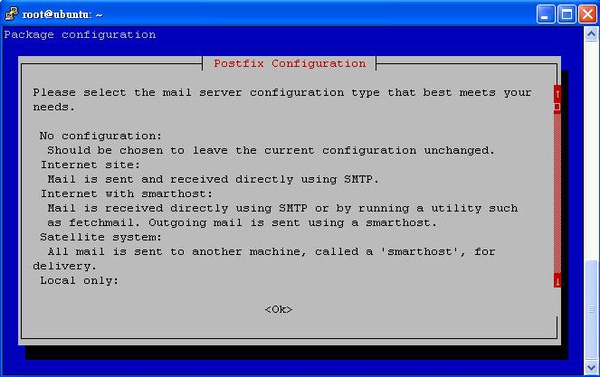
(繼續閱讀...)
文章標籤

蒼穹 發表在 痞客邦 留言(0) 人氣(149)

  • 個人分類:Server Edition
▲top
  • 6月 04 週五 201010:56
  • Ubuntu Server 靜態路由設定

$ sudo vim /etc/network/interfaces
up route add -net 192.168.0.0 netmask 255.255.255.0 gw 192.168.2.1
(繼續閱讀...)
文章標籤

蒼穹 發表在 痞客邦 留言(0) 人氣(1,262)

  • 個人分類:Server Edition
▲top
«1...4569»

文章搜尋

熱門文章

  • (16,200)Cwrsync for Windows 教學(不需密碼
  • (2,559)Cwrsync for Windows 教學(需密碼
  • (21,684)開啟簡體程式的兩種方式
  • (28,238)Squid Proxy for windows
  • (2,670)Webalizer for Windows 實做Squid統計報表
  • (12,359)WindowsXP 靜態路由設定
  • (3,819)Ubuntu Server 兩張網卡設定
  • (3,955)Ubuntu Server 設定 Smtp認證
  • (814)[Awstart]Awstart 加裝外掛 GeoIP 安裝設定篇
  • (10,624)Ubuntu Server變更語系(中文=>英文)

文章分類

toggle Feroda (1)
  • 系統 (1)
toggle CenOS (1)
  • 系統 (5)
toggle Ubuntu10.04 (2)
  • Desktop Edition (2)
  • Server Edition (48)
toggle Microsoft (1)
  • WinXP (4)
toggle Other (1)
  • 情感抒發 (0)
toggle 網路相關 (1)
  • 免費軟體 (3)
toggle Solaris (2)
  • Solaris10 指令 (3)
  • Solaris10網路設定 (13)
toggle 微軟系列 (1)
  • Office專區 (4)
toggle 免費軟體 (3)
  • Proxy Server (1)
  • 備份軟體 (2)
  • 分析報表軟體 (2)
  • 未分類文章 (1)

最新文章

  • 無法開啟限額設定quotacheck -aucmv
  • Windows Server 2008 R2 變更AD的密碼原則
  • 使用Vmware 安裝 CentOS6.3 網路啟動問題
  • CentOS6_32 安裝 vmware-tools 的問題
  • Centos6.3 install clamav0.97.6.1
  • Ubuntu10 Iptables 防火牆+NAT+port forward
  • Ubuntu10 DHCP Server 安裝與設定
  • DNS :rndc: connect failed: 127.0.0.1#953: connection refused
  • Ubuntu 阻擋暴力sshd的攻擊
  • Ubuntu 自動備份機制

文章精選

參觀人氣

  • 本日人氣:
  • 累積人氣: